

Managing and tracking pending student fees is an important task for schools and colleges. A fee due report helps administrators identify students with outstanding fees and monitor pending payments.
With APTORA, institutions can easily access fee due information and use the report to keep track of pending student payments.
In this guide, we will explain how to check the Fee Due Report in APTORA step by step.
Prerequisites
Before generating the Fee Due Report, make sure:
Log in to the APTORA Dashboard using your registered username and password.
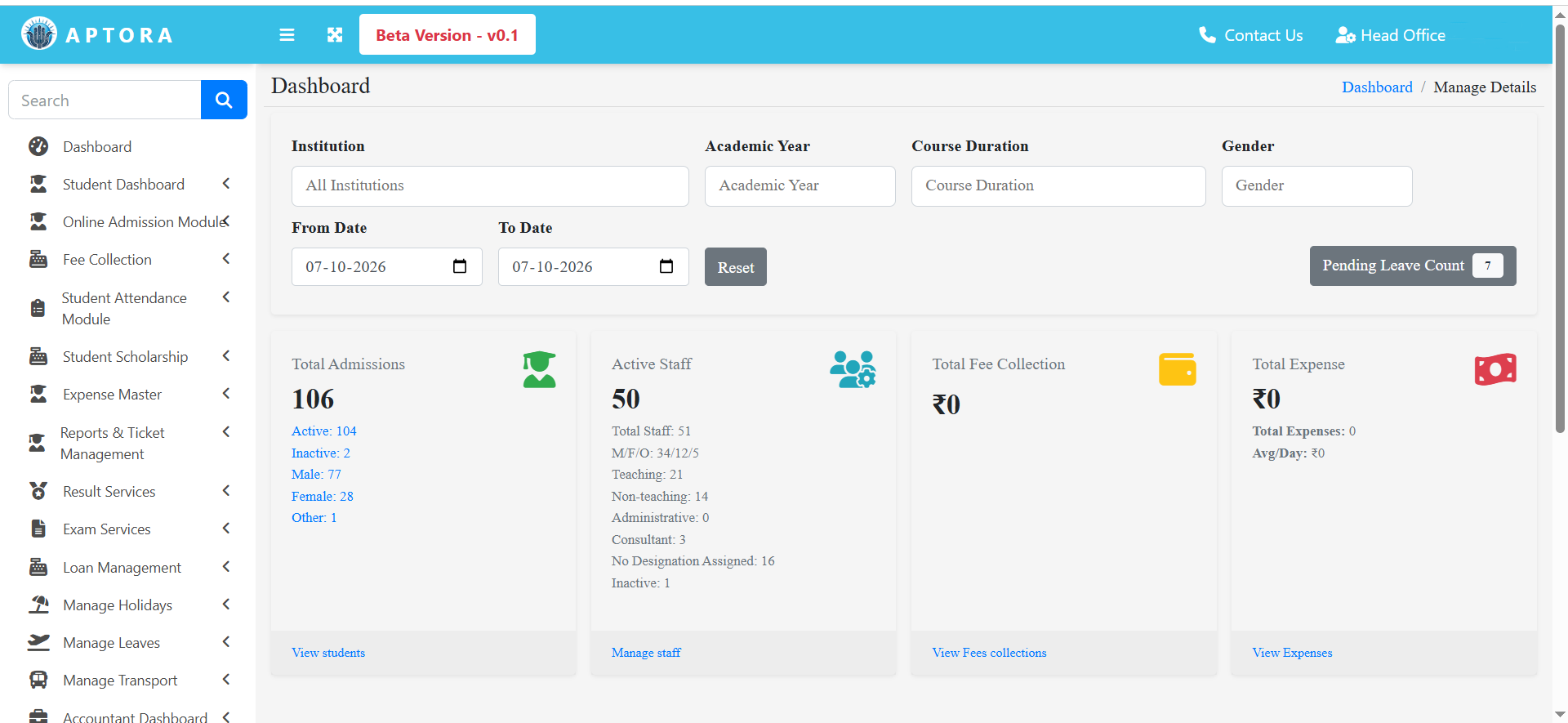
After successful login, you will be redirected to the APTORA dashboard.
APTORA Dashboard → Login
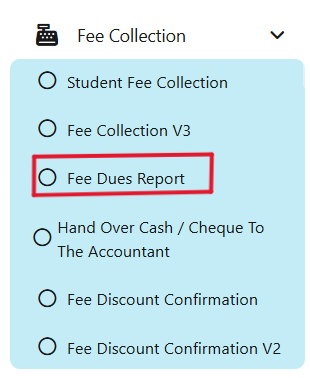
Step 2: Select Fee Dues Report.
Select Fee Collection and select Fee Dues Report.
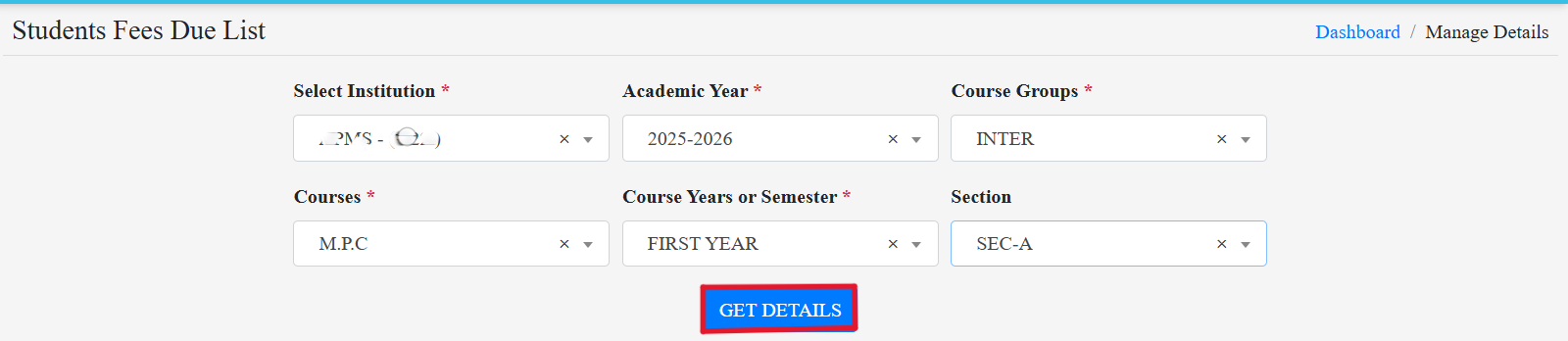
 Step 3: Fill The Form
Fill the form with required details and select get details.
 Step 4: Select the student.
Select the student name which you want to view the due fee and click on Payfee.
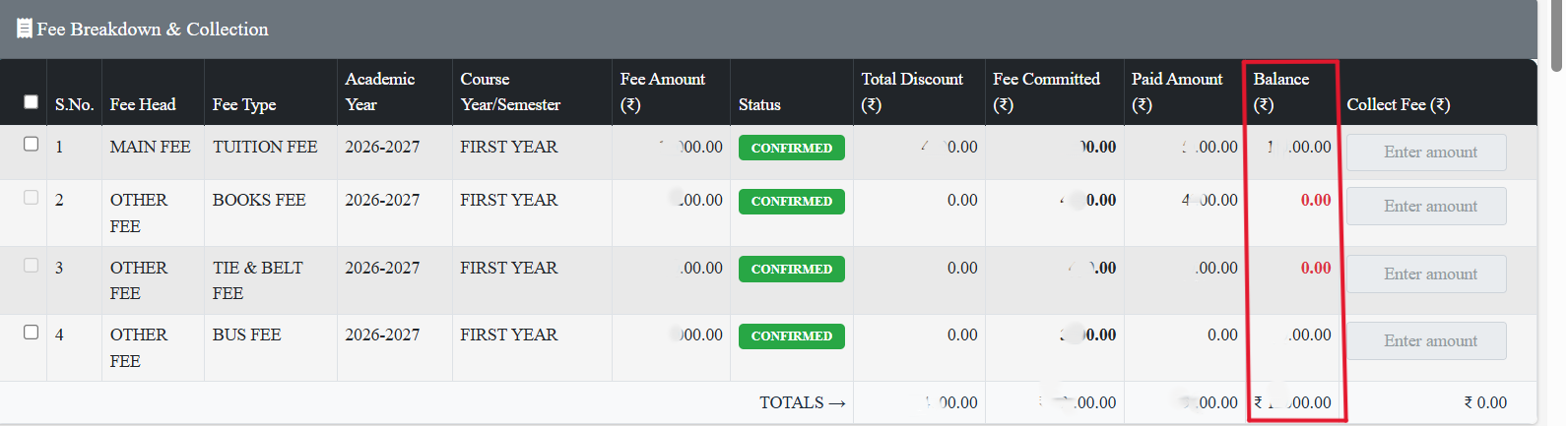
 Step 5: Fee Due Report
You can see student details and dues fee in balance.
📞 Ready to organize your classrooms better?
Talk to our expert or contact us for further queries